Securing physical access to your devices is a critical component of overall security. Ensure that only authorized individuals can physically access your devices to prevent unauthorized use or tampering. This can involve using locks, secure storage, and monitoring access to sensitive areas. Implementing strong physical security measures will add an extra layer of protection to your digital security efforts.
Making sure your devices are physically secure is just as crucial as defending them against cyber threats. Here are some easy ways to strengthen security.
Limit access to important areas – Make sure only the right people can get near sensitive devices.
Use locks and secure storage – Lock up laptops, servers, and other valuable equipment to prevent tampering.
Keep an eye on who comes and goes – A visitor log or access tracking helps spot any suspicious activity.
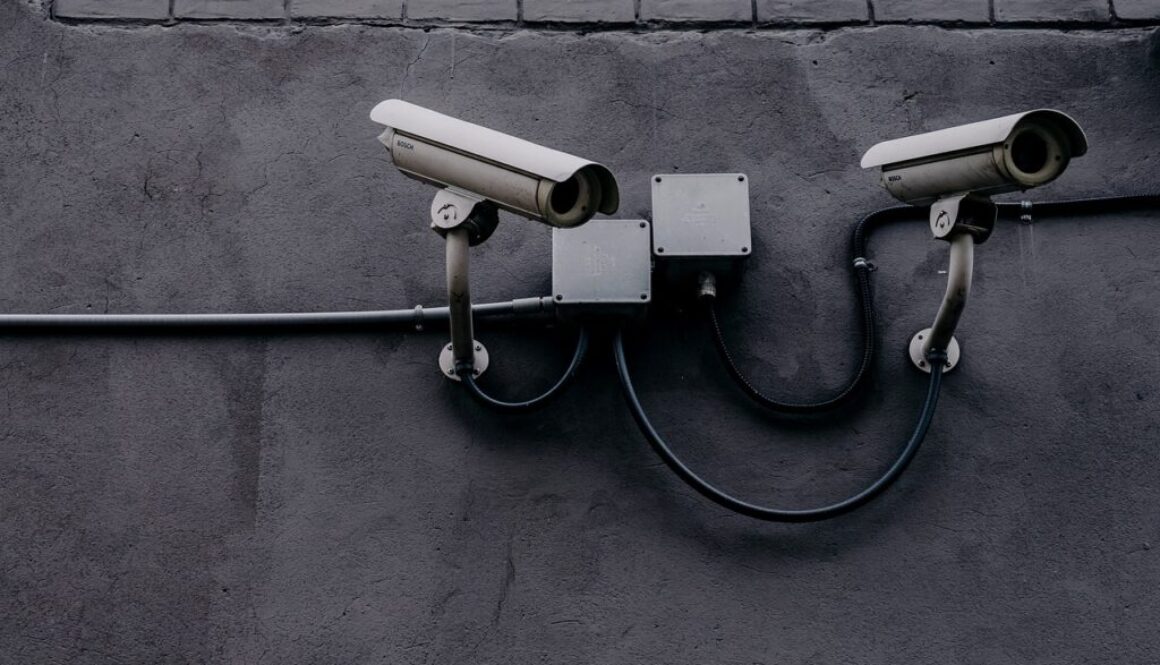
Set up cameras – Security cameras can deter unauthorized access and provide records if something happens.
Use strong passwords and authentication – Even if someone gets their hands on a device, they shouldn’t be able to access anything easily.
Don’t leave devices unattended – Avoid leaving laptops or important documents lying around in open spaces.
Check security measures regularly – Make sure locks, access controls, and monitoring systems are working as they should.
Physical security adds an extra layer of protection, keeping your data and devices safe from unwanted access.
Role-based access is a crucial strategy to enhance security and manage permissions effectively. It involves granting access to resources and information based on a user’s role within the organization. This ensures that individuals have only the permissions necessary to perform their specific job functions. By doing so, you can reduce the risk of unauthorized access and data breaches.
Regular audits of security protocols are essential for maintaining a strong security posture. These audits help identify and address vulnerabilities, ensure compliance with security standards, and keep your organization protected against evolving threats.
Educating your colleagues on cybersecurity is vital for maintaining a secure environment. By promoting awareness and best practices, you can help prevent security breaches and protect sensitive information. A well-informed team is your best defence against cyber threats.
Educating colleagues about cybersecurity isn’t just about ticking a box, it’s about building a strong human firewall for your organisation. Even the best tech can’t stop every threat if people aren’t aware.
Making Cybersecurity Education Stick
Don’t Just Lecture, Engage!
Interactive Sessions: Ditch the boring PowerPoint. Use quizzes, polls, group discussions, and interactive modules to keep people awake and learning.
Real-World Scenarios: Use relatable examples. Instead of abstract threats, show how phishing or malware could impact them personally or their specific role.
Short & Sweet: Break down training into bite-sized modules. People learn better in shorter, more frequent bursts than one long, overwhelming session.
Make it Relevant and Personal
Tailor the Content: Not everyone needs the same level of detail. IT staff might need deeper technical training, while general employees need to focus on identifying phishing or strong passwords.
Connect to Personal Security: Frame cybersecurity in terms of protecting their own devices, bank accounts, or online identity. When they see a personal stake, they’ll care more about company security.
Role-Specific Examples: Use examples directly related to their daily tasks. For a sales team, focus on secure client communication; for HR, emphasize data privacy.
Build a Cyber-Smart Culture
Lead by Example: If senior leadership takes cybersecurity seriously and participates in training, colleagues are more likely to follow suit.
Open Communication Channels: Make it easy and safe for employees to report suspicious activity without fear of blame. Encourage them to ask questions and report anything that feels off.
Cybersecurity Champions: Appoint “champions” or “ambassadors” in different departments. These are non-IT colleagues who can be a first point of contact for questions and help foster a security-aware mindset.
Positive Reinforcement: Celebrate employees who identify and report phishing attempts or demonstrate excellent security practices. Reward good behaviour instead of punishing mistakes.
This is only summary, s snapshot, of how a company can embed a positive security culture, you can significantly improve your colleagues’ cybersecurity awareness and make them your strongest defence against cyber threats.
Using VPNs when accessing public Wi-Fi is a smart security measure. Public Wi-Fi networks are often less secure and can be a hotspot for hackers. A VPN (Virtual Private Network) encrypts your internet connection, making it much harder for others to intercept your data. If you frequently use public Wi-Fi, setting up and using a VPN can provide an added layer of protection. Stay secure and browse safely!
Using a VPN on public Wi-Fi is important for staying safe online. Think of public Wi-Fi like an open house where everyone can see what you’re doing. A VPN acts like your own secret, encrypted tunnel, hiding your online activity from prying eyes. These networks, found in cafes, airports, or hotels, are often unsecured, making your personal info an easy target for hackers.
Why You Really Need a VPN on Public Wi-Fi
Your Data is Encrypted: Public Wi-Fi usually doesn’t scramble your data. That means your passwords, emails, and bank details could be sent out in plain text, like writing them on a postcard for everyone to read. A VPN encrypts everything, making it unreadable to anyone trying to snoop.
Stops Sneaky “Man-in-the-Middle” Attacks: Imagine a hacker sitting between you and the internet, secretly peeking at or even changing your messages. On public Wi-Fi, they might create fake hotspots or just listen in. A VPN sends your data through its secure servers, totally bypassing these tricks.
No More Eavesdropping: Anyone else on the same public Wi-Fi network could potentially see what websites you’re visiting and even grab your login details. A VPN makes your online activity private, so no one can snoop on you.
Dodging Fake Hotspots: Some bad guys set up fake Wi-Fi networks that look legitimate (like “Free Airport Wi-Fi”). If you connect to one, they can access all your data. A VPN encrypts your traffic even if you fall for one of these, giving you a layer of protection.
Unblock Content: While mainly for security, a VPN can also help you access stuff that’s blocked in your current location, like streaming services or websites only available in certain countries.
Top Tips for Using VPNs on Public Wi-Fi
Turn it On Before You Connect: Make this your golden rule! Always switch on your VPN before you join any public Wi-Fi network. That way, all your data is encrypted from the very first moment.
Double-Check Your VPN is Working: Once you’re connected to Wi-Fi and your VPN is on, quickly confirm it’s active. Most VPN apps will show a clear “Connected” status, or you can use a “What’s My IP” tool online to see if your IP address has changed to the VPN server’s.
Pick a Good, Paid VPN: Steer clear of free VPNs. Many have sketchy privacy policies or might even sell your data. Invest in a reputable, paid VPN service known for strong security and a strict “no-logs” policy.
Use the Kill Switch: This is a must-have feature. If your VPN connection suddenly drops, the kill switch automatically cuts off your internet. This prevents your real IP address and unencrypted data from accidentally being exposed.
Strong Passwords & Two-Factor Authentication (2FA): Even with a VPN, layered security is smart. Always use long, unique passwords for all your accounts. And turn on 2FA wherever you can – it adds an extra security step when you log in.
Be Wary of “Free” Wi-Fi: If a public Wi-Fi network seems completely open without any login or rules, be very careful. These can sometimes be traps set by hackers. If you’re unsure, try to stick to known, password-protected networks.
Keep Your Devices Updated: Make sure your phone, laptop, and all your apps are always up to date. Software updates often include crucial security fixes that protect against known vulnerabilities.
Think Twice About Sensitive Stuff: Even with a VPN, if you can avoid logging into super sensitive accounts (like your bank or investment accounts) on public Wi-Fi, it’s generally safer. If you absolutely have to, double-check that the website uses HTTPS (look for the padlock icon in the address bar).
Turn Off File Sharing: When on public Wi-Fi, disable any file-sharing features on your device (like Windows File Sharing or macOS File Sharing). This stops others on the network from accessing your personal files.
Clear Browser History: Regularly clear your browser’s cache and cookies. This helps get rid of any tracking data or potentially sensitive info left behind from your Browse sessions.
Recommended VPN Services for Public Wi-Fi
These VPNs are top-notch for keeping you secure on public Wi-Fi, known for their strong security, focus on privacy, and ease of use:
NordVPN:
Why it’s great: Top-tier encryption, a huge network of servers, a proven no-logs policy, and cool features like Double VPN for extra security. Super easy to use on all your devices.
Things to note: You might see a slight dip in speed on servers that are very far away.
ExpressVPN:
Why it’s great: Famous for being fast and reliable, strong encryption, a strict no-logs policy, and a trustworthy kill switch. Apps are a breeze to use. Good for everything from Browse to streaming.
Things to note: It’s a bit pricier than some others, but you get what you pay for.
Surfshark:
Why it’s great: You can use it on unlimited devices at once (awesome for families!). It has strong security features, including a kill switch and CleanWeb (which blocks ads and malware), and it’s pretty affordable.
Things to note: Its server network isn’t as massive as NordVPN’s or ExpressVPN’s, but it’s still plenty big for most folks.
Private Internet Access (PIA):
Why it’s great: Really big on privacy, with a huge number of servers and a no-logs policy that’s even been proven in court. You can customize a lot of settings, which advanced users will love. Good value for money.
Things to note: The apps can feel a bit overwhelming for beginners due to all the options.
CyberGhost:
Why it’s great: Super simple to use, especially if you’re new to VPNs. It has dedicated servers for streaming and torrenting, strong encryption, and a clear no-logs policy.
Things to note: Not always as blazing fast as ExpressVPN or NordVPN on certain servers.
Picking the Best VPN for You
When you’re choosing a VPN, think about these:
No-Logs Policy: Make sure they absolutely don’t keep records of what you do online. Look for providers that have had independent audits.
Encryption: It should use AES-256 encryption – that’s the strongest available.
Kill Switch: This is a deal-breaker for public Wi-Fi safety.
Server Network: More servers in more places mean better connection options and potentially faster speeds.
Speed: You want a VPN that won’t slow down your internet too much.
Price & Guarantee: Compare prices and see if they offer a money-back guarantee so you can test it out.
Customer Support: Good support is always a plus if you run into any issues.
By following these tips and using a reliable VPN, you can relax and enjoy public Wi-Fi without worrying about your privacy or security.
Got any questions about specific VPN features, or want to know more about how they work?
Promptly notify your IT department or security team as soon as you discover a breach. Provide as much information as possible about the breach, including how and when it was detected, and any suspicious activity. Follow your organization’s security protocols and cooperate with investigations to ensure a thorough response.
To protect against shoulder surfing, use privacy screens, be aware of your surroundings, shield your input, and use strong, unique passwords. Stay vigilant and keep your information safe.
Shoulder surfing is a low-tech but effective way for criminals to steal sensitive information by watching over your shoulder. To protect yourself, follow these key strategies:
Use Privacy Screens: Attach a privacy filter to your device to restrict viewing angles, ensuring only you can see the screen clearly. Ideal for public spaces like cafes, airports, and offices.
Be Aware of Your Surroundings: Scan your environment before using your device. Avoid crowded areas, minimize distractions, and position yourself strategically to limit visibility.
Physically Shield Your Input: Use your body or hand to block your screen and keyboard when entering sensitive information, especially at ATMs and payment terminals.
Employ Strong, Unique Passwords: Use complex passwords and a password manager to reduce exposure and prevent unauthorized access, even if someone catches a glimpse of your credentials.
By combining these methods, you can significantly reduce the risk of shoulder surfing and keep your personal information secure.
In the ever-evolving digital landscape, one truth remains constant, cybercriminals don’t discriminate by size, they exploit vulnerability. While many small business owners still believe they’re too small to be noticed, the reality is that hackers are increasingly targeting them precisely because they’re easier to breach.
Cyberattacks are no longer reserved for large multinational companies. In fact, small and medium-sized businesses (SMBs) are now among the most frequent victims. Why? Because they often lack the cybersecurity infrastructure, dedicated IT teams, and awareness training that larger organizations have in place. This makes them low-hanging fruit for attackers looking for quick wins.
Recent events underscore this trend. In early 2025, a wave of ransomware attacks hit a diverse range of organizations, from a UK-based cannabis product supplier (you could say they went to pot) to a Chinese AI startup and even a regional healthcare provider. These weren’t global giants, they were smaller, specialized businesses that became targets due to weak security postures. In many cases, operations were disrupted, customer data was compromised, and reputations were damaged.
The statistics are equally alarming. As of 2025, nearly 46% of all cyber breaches affect businesses with fewer than 1,000 employees, and 82% of ransomware attacks are aimed at small businesses. These attacks often involve phishing, malware, or exploiting unpatched software, methods that are simple but devastatingly effective when defences are weak.
What can small businesses do to protect themselves?
First, awareness is key. Employees should be trained regularly to recognize phishing emails, suspicious links, and social engineering tactics. Human error remains one of the most common entry points for attackers.
Second, keep systems updated. Many breaches occur because of known vulnerabilities in outdated software. Regular patching and updates are a simple but powerful defence.
Third, implement multi-factor authentication (MFA). Passwords alone are no longer sufficient. MFA adds an extra layer of protection that can stop many attacks in their tracks.
Fourth, back up your data, frequently and securely. In the event of a ransomware attack, having clean backups can mean the difference between a quick recovery and a total shutdown.
Fifth, limit access. Not every employee needs access to every system. Apply the principle of least privilege and revoke access immediately when someone leaves the company.
Finally, have a response plan. When an incident occurs, and it’s increasingly a matter of when, not if, having a tested incident response plan can dramatically reduce downtime and losses.
Cybersecurity is no longer a luxury or an afterthought. It’s a fundamental part of doing business in 2025. Hackers aren’t impressed by your size, they’re looking for weaknesses. And if you’re not prepared, you’re vulnerable.
If you’re a small business owner or leader, now is the time to act. Build resilience, invest in awareness, and take cybersecurity seriously. Because in today’s threat landscape, being small doesn’t make you safe, it makes you a target.
How We Can Help
This is where SJ Cyber Aware steps in, offering tailored, practical support to help small medium businesses navigate this complex landscape and build the resilience they urgently need.
SJ Cyber Aware translates the daunting task of cybersecurity into manageable steps for small businesses. We equip you with the tools, knowledge, and structured approach needed to move from being a potential target to a resilient operation, protecting your data, maintaining your operations, and safeguarding the trust you’ve built with your customers.
Avoid clicking on unknown links to maintain online safety. Suspicious links can lead to malware, phishing scams, and other cyber threats. Stick to links from trusted sources and always double-check URLs for inconsistencies to protect your personal information and ensure a safer browsing experience.
Encrypting sensitive communications is vital for protecting data and ensuring privacy. Encryption transforms your data into a code, allowing only the intended recipients to access it. This prevents unauthorized access, safeguards against data breaches, protects personal information, and ensures compliance with privacy regulations. Use tools like encrypted email services, secure messaging apps, and VPNs to enhance your privacy and security.







 Cyberattacks are no longer reserved for large multinational companies. In fact, small and medium-sized businesses (SMBs) are now among the most frequent victims. Why? Because they often lack the cybersecurity infrastructure, dedicated IT teams, and awareness training that larger organizations have in place. This makes them low-hanging fruit for attackers looking for quick wins.
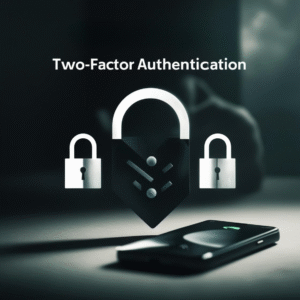 Third, implement multi-factor authentication (MFA). Passwords alone are no longer sufficient. MFA adds an extra layer of protection that can stop many attacks in their tracks.
 This is where SJ Cyber Aware steps in, offering tailored, practical support to help small medium businesses navigate this complex landscape and build the resilience they urgently need.